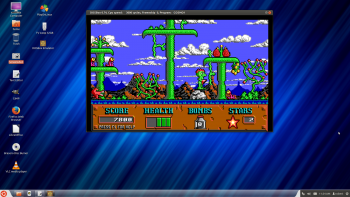
This was tested with Ubuntu 8.04LTS (Hardy Heron)
I've basically shamelessly ripped off Dosraider's guide, but changed a few words and instructions here and there.

If you're reading this it means you have discovered a simple fact:
You can't run dosgames in Linux.
Luckily there is help: Dosbox.
Dosbox will emulate a dos environment, so that the dosgames can run through it. It will handle all those dos instructions that Linux lacks.
--> It is a safe to use program, it will NOT harm your linux partition.
This is meant as a short intruction to help you on the way with that program, so that you can play most of those ol'gems in linux. It's not meant as an elaborate nor complete howto. If you need more explainations please use the Get Games To Work forum.
Before posting for help:
-> Read the dosbox readme. (/usr/share/doc/dosbox/README.gz)
-> Use the forum search, plenty games have already a topic with the needed solutions.
If you still need help:
-> Give your system specs (OS-HARDWARE).
-> State as clearely as possible your problem.
-> If you get an error message post it as correctly as you can.
-> Post what you did up to now to get your game running.
-> Post your mount lines, command lines you use to get the game running, the setup choices you made .....
-> Please don't forget to post about WHAT game you need help for.
-> Full original game? Downloaded? ISO? Ripped one? Downloaded from one of our sites?
First steps:
-> Download the latest dosbox version from your repository:
$ sudo apt-get install dosbox
-> You should create a directory in your home for your games: $ mkdir ~/games
-> You need to make a file in ~ to store your configuration settings:
$ touch ~/.dosboxrc
-> The repository didn't add it in automatically, so I had to build it from the bottom up (not that it's a lot of work)...
Here's mine:
Code: Select all
[autoexec]
# Lines in this section will be run at startup.
# This is a good place to put your mount lines  amongst other things.
# If you want it to automatically switch to a specific mount upon startup add
# [drive]: to the bottom of your mount lines, where [drive] is the letter of the drive you want
# it to automatically go to.
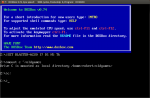
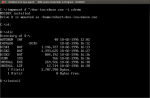
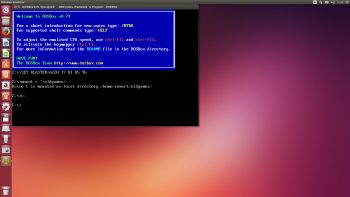
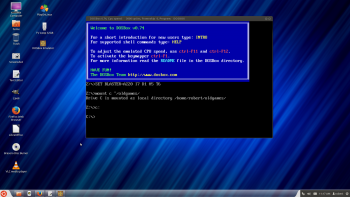
mount x ~/games/Run dosbox, if you done it all correctly this is what you will see:
<img src="http://img.photobucket.com/albums/v303/ ... dosbox.png">
**If you get an error message, you made some mistakes, check everything and correct where needed.
Basic dosbox sound settings
The most compatible soundsettings in dosgames with a default dosbox configuration are:
Soundblaster or Soundblaster 16
Adress 220
IRQ 7
DMA 1
HDMA 5
Midi adress 330.
Handy dosbox keystrokes:
dosbox readme wrote:
================
5. Special Keys:
================
ALT-ENTER Switch to full screen and back.
ALT-PAUSE Pause emulation.
CTRL-F1 Start the keymapper.
CTRL-F4 Change between mounted disk-images. Update directory cache for all drives!
CTRL-ALT-F5 Start/Stop creating a movie of the screen. (avi video capturing)
CTRL-F5 Save a screenshot. (png)
CTRL-F6 Start/Stop recording sound output to a wave file.
CTRL-ALT-F7 Start/Stop recording of OPL commands.
CTRL-ALT-F8 Start/Stop the recording of raw MIDI commands.
CTRL-F7 Decrease frameskip.
CTRL-F8 Increase frameskip.
CTRL-F9 Kill DOSBox.
CTRL-F10 Capture/Release the mouse.
CTRL-F11 Slow down emulation (Decrease DOSBox Cycles).
CTRL-F12 Speed up emulation (Increase DOSBox Cycles).
ALT-F12 Unlock speed (turbo button).
These are the default keybindings. They can be changed in the keymapper.
The ones you will need the most are:
ALT-ENTER Switch to full screen and back.
CTRL-F10 Capture/Release the mouse.
CTRL-F11 Slow down emulation (Decrease DOSBox Cycles).
CTRL-F12 Speed up emulation (Increase DOSBox Cycles).
Highest time to play some game: installing running/games
Lets download/install/run Commander Keen 4 as tryout.( Always loved that one).
Download commander Keen4 from:
$ mkdir ~/games/keen4/
$ cd ~/games/keen4/
$ wget ftp://ftp.3drealms.com/share/4keen.zip
$ unzip ~/games/keen4/4keen.zip
Run dosbox, will start on x drive
$ dosbox
Input at the dosprompt:
cd keen4
install
You will get an install screen for C:\Keen4, alter the install directory (folder) to x:\keen4
Let the installer run completely, it will leave you in x:\keen4
Input
keen4e
Here ya go, you can configure the game via the ingame configuration panel at your wish.( sounds-input methods- .......)
Next time you want to play Commander Keen 4:
Run dosbox and input:
x:
cd keen4
keen4e